
What this is for
Use this when you want a LinkedIn Article to be found and quoted by AI search tools, not just seen in the feed. It's based on LinkedIn's own guide, Unlocking AI Search Visibility: The B2B Marketer's Guide to LinkedIn, as summarised by John Espirian. [links below under Source]
Two findings set the scene. Articles account for roughly 60% of LinkedIn content cited by AI, and 95% of citations come from original posts rather than reshares. So writing your own Articles, and writing them clearly, matters.
This is about findability. Personal storytelling still has its place for building relationships in the feed; this format is for the pieces you want people to find when they go looking.
Before you write
Pick one real question your audience asks you. Client emails, discovery calls and comments are the best place to find them.
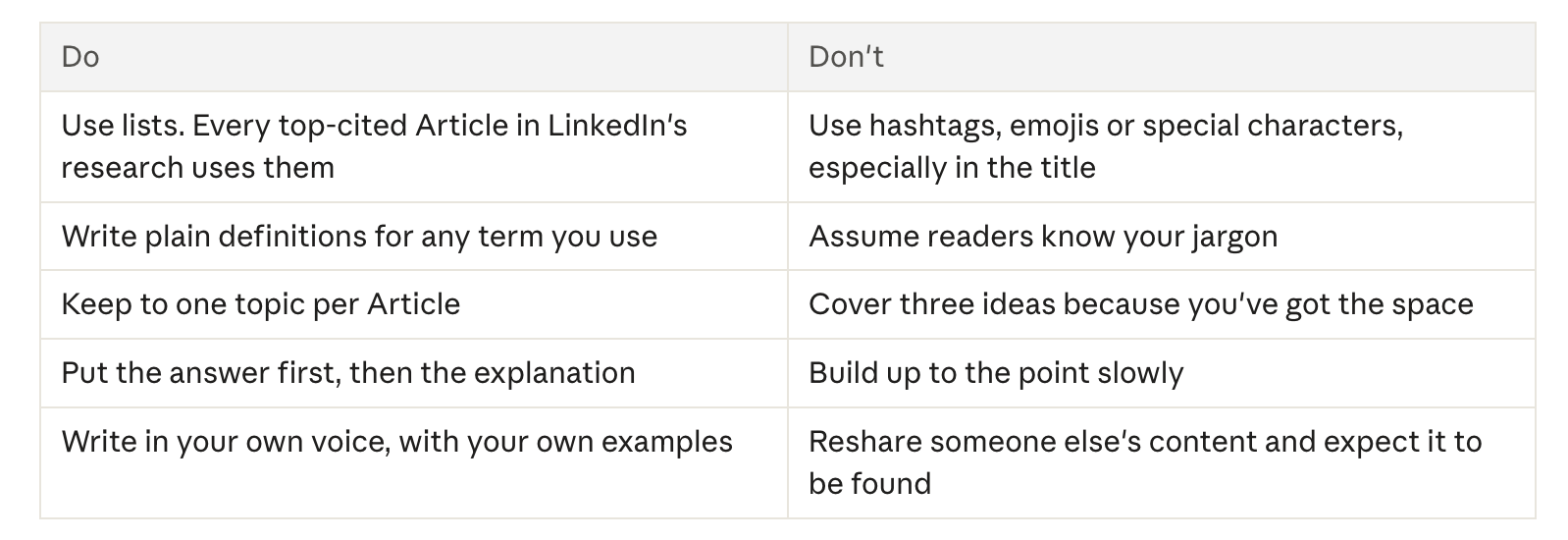
Note the words they use. These are your core keywords, and they should be the client's language, not industry jargon.
Write the title as that question, with the keywords near the start. For example: How do I make my LinkedIn profile work harder for my business?
Check the title before you publish. It becomes the Article's URL, and that can't be changed afterwards. No emojis, hashtags or special characters.
Article structure
Aim for 800 to 1,200 words. Build it in this order:
Title: your audience's question, keywords first.
Quick answer: two or three sentences right under the title, labelled "Quick answer:" or "At a glance:". This tells AI tools where the direct answer is.
Three to five sections, each with an H2 heading written as a question.
Open each section with a 30 to 80 word answer to that heading's question.
Follow it with the detail: examples, a short list, a plain definition, a source.
Close: a short summary or checklist, then a practical next step the reader can take today.
Formatting: do and don't
The same idea for posts
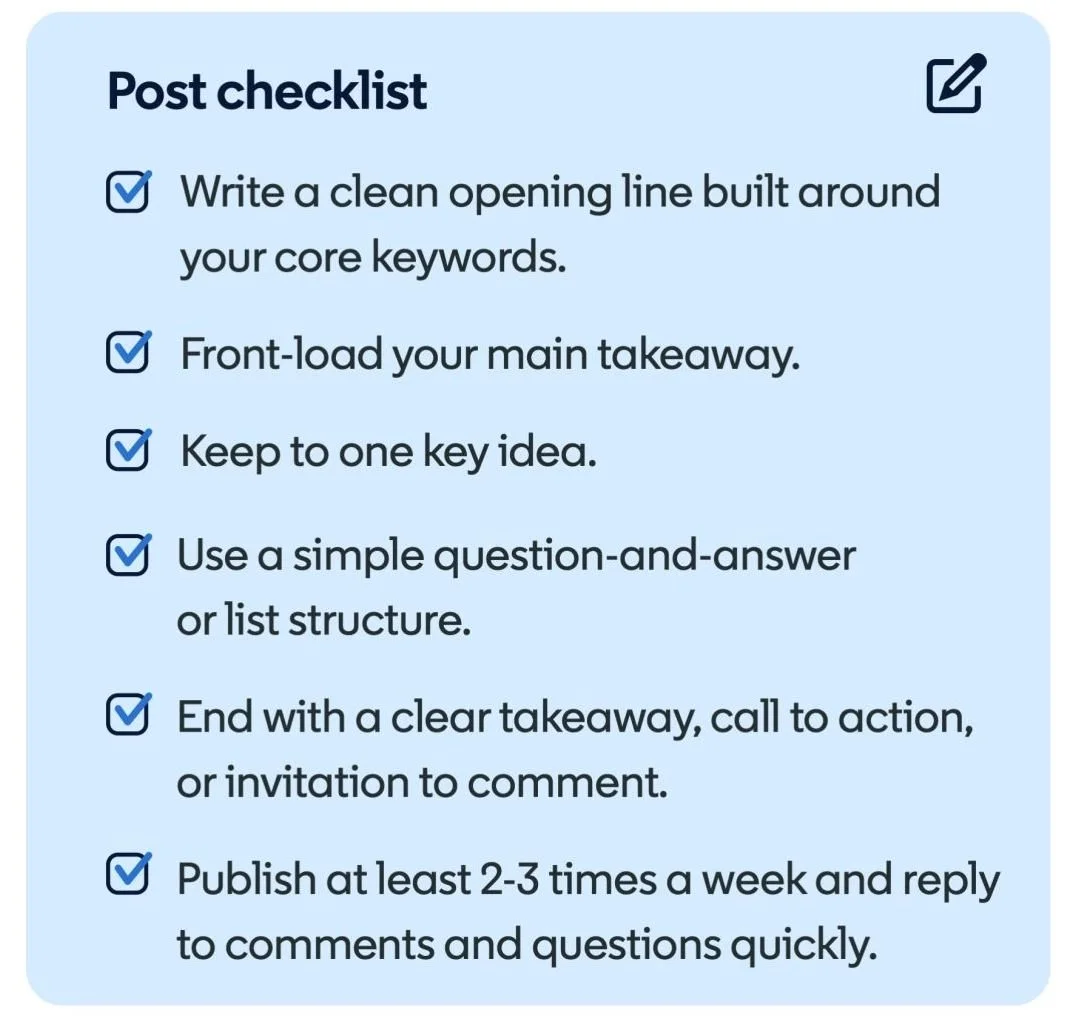
Posts make up about 40% of LinkedIn content cited by AI, so the same thinking applies on a smaller scale. Aim for 200 to 300 words.
Open with a clean first line that includes your core keywords. It becomes the post's URL, so leave emojis and hashtags out of it.
Front-load the main takeaway.
Keep to one key idea.
Use a simple question-and-answer or list structure.
End with a clear takeaway or a practical next step.
After you publish
Keep a steady rhythm. A consistent weekly pattern for Articles, and two or three posts a week, helps more than occasional bursts.
Reply to comments promptly. Good conversation suggests your content is more likely to appear in AI answers, though LinkedIn is clear it isn't proof.
Refresh older Articles. Make small inline edits to keep them current, or add a comment pointing to your latest thinking. You can't change the URL, but you can keep the content useful.
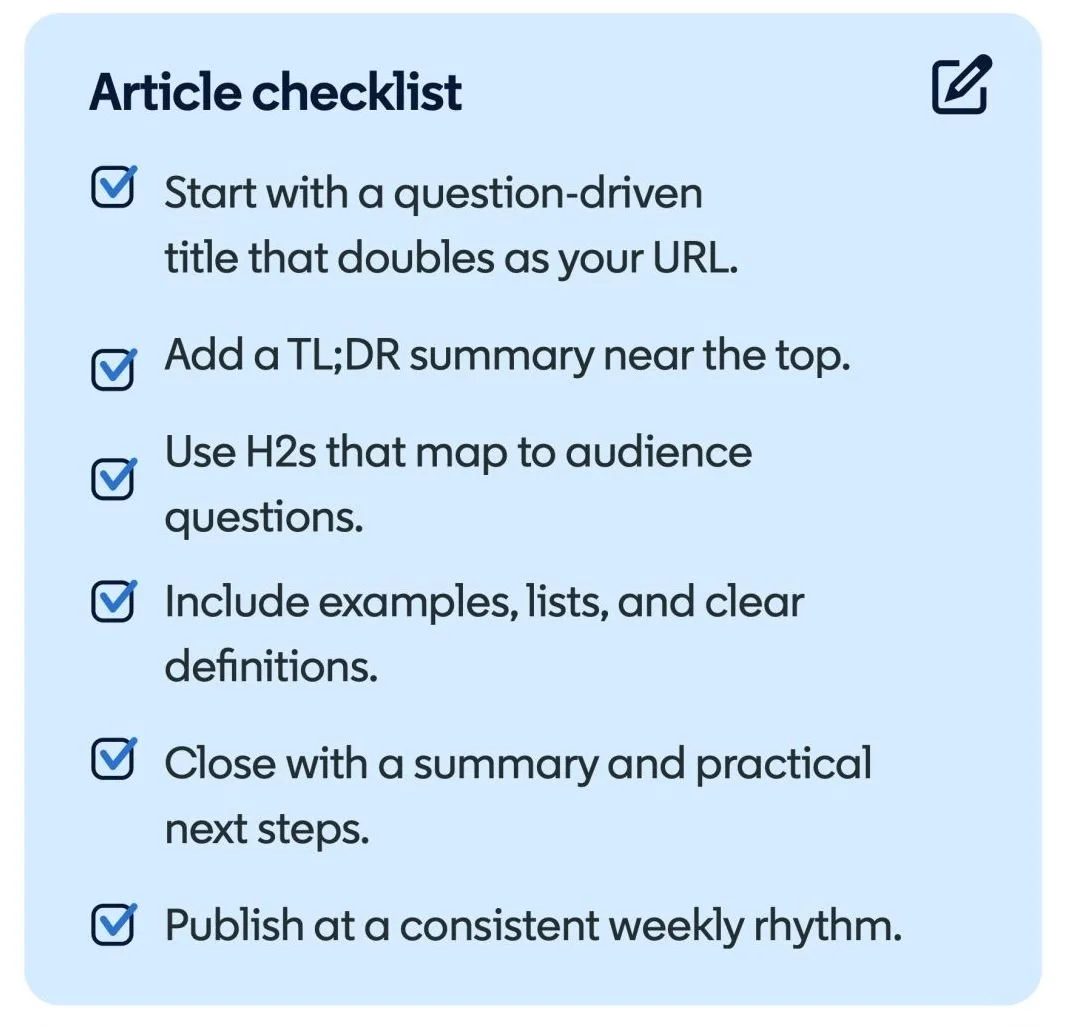
Pre-publish checklist
The title is a real audience question, with keywords near the start
No emojis, hashtags or special characters in the title
A labelled quick answer sits near the top
Every H2 is a question, opening with a 30 to 80 word answer
At least one list and one plain definition
One topic only
It closes with a summary and a practical next step
800 to 1,200 words
Time set aside to reply to comments
Source
LinkedIn, Unlocking AI Search Visibility: The B2B Marketer's Guide to LinkedIn, as summarised by John Espirian on LinkedIn, 11 November 2026.
Hello, I'm Debbie Ford 👋
I'm a LinkedIn specialist and founder of The Chichester Social. I work with owner-founders and small business teams who want to build a consistent, findable presence on LinkedIn; without it feeling like a performance or an absolute drag.
Browse my LinkedIn Services from the menu or jump straight in to start a conversation.